
5 Best Walking Pads for Working From Home in 2026
Do you sit for eight hours a day at your home desk? Your back, legs and energy feel it, and so does your mood. A walking pad helps you move while you answer emails and sit through calls.
The problem is choice. Amazon lists hundreds of walking pads, and many look the same. We compared five popular models on specs, noise, incline, weight limit and price.
This guide shows you which walking pad fits your home office and which one to skip.
In a Nutshell
- LONTEK is the best value pick. It costs about $135 and supports 350 lbs. It offers flat, 10% and 15% incline settings, and buyers bought over 4,000 units last month.
- Garvee is the best pick for automatic incline. It has 15 incline levels you change with a remote or app. Its slim 3.3 inch body slides under most desks and sofas.
- UMAY suits buyers who want a mid range option with a handrail. It uses a seven layer belt that eases pressure on your knees. Its lever switches between three incline levels in seconds.
- JELENS is the most complete machine here. It reaches 7.5 MPH and has auto incline, heart rate sensors and app tracking. It is taller and heavier, though, so it works better beside a desk than under one.
- LIVIVOX is the simplest flat walking pad. It arrives ready to use with a remote and LED display. It suits people who only want gentle walking during work hours.
- Your walking speed matters more than top speed. Most people type well at 1.5 to 2.5 MPH. Pick a quiet motor, a solid weight limit and a size that fits your room.
Why a Walking Pad Makes Sense for Home Workers
Remote work cut out the daily commute. It also cut out the walk to the train, the office stairs and the lunch stroll. Many home workers now take fewer than 5,000 steps a day without noticing.
A walking pad brings that movement back. You place it under a standing desk and walk at a slow, steady pace. You keep working, and your body keeps moving.
Walking pads are flat, light and low. Most lack the tall console and long rails of a regular treadmill. That makes them easy to store under a bed or sofa after work hours.
They also run quietly. Most models in this guide stay under 45 decibels. That is roughly as loud as a quiet library, so your coworkers on video calls will not hear a thing.
For a small investment, you get extra steps, better focus and a break from sitting still all day.
How We Picked These Walking Pads
We focused on what matters for people who work from home. A gym treadmill and a desk walking pad have different jobs. We judged each model on real home office needs.
First, we checked noise levels. A loud motor ruins calls and annoys family members. Every pick here lists a quiet motor rated at or below 45 decibels.
Second, we checked size and storage. Home offices are often small. We looked at height, footprint and whether the unit folds or slides under furniture.
Third, we checked weight capacity and belt size. A wider belt feels safer when your eyes are on a screen. A higher weight limit usually means a sturdier frame.
Finally, we compared incline options, remote controls, app support, Amazon ratings and price. Our list covers budget, mid range and premium choices. That way, every reader finds a good match.
LONTEK 15% Incline Walking Pad Treadmill with Handles
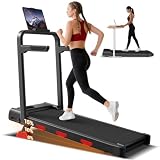
- Flat, 10% or 15% Incline – This walking pad with incline gives you three walking levels: flat ground, flip out...
- Removable phone/pad holder included – A detachable cradle comes with the unit, designed to securely hold most...
Last update on 2026-10-19 / Affiliate links / Images from Amazon Product Advertising API
The LONTEK walking pad is our top value pick. It sells for about $134.99 at the time of writing. It holds a 4.3 star rating from over 450 reviews and carries the Amazon’s Choice badge.
This model gives you three walking levels. You walk flat, flip out the rear legs for a 10% grade, or add the red pads for a 15% hill. No menus are needed. You change it by hand in seconds.
A 3.0HP brushless motor runs from 0.6 to 6.2 MPH. It stays below 45 dB, so it suits apartments and shared homes. The frame supports up to 350 lbs, which is high for this price.
The belt measures 37.4 by 15 inches and has shock strips on each side. A phone and tablet holder comes in the box. The LED screen shows time, speed, distance and calories.
Pros
- Very low price for a 350 lb capacity
- Three incline levels without extra cost
- Quiet brushless motor under 45 dB
- Includes a removable phone holder and handle bar
Cons
- Incline changes are manual, not automatic
- The 15 inch belt feels narrow for wide strides
- No app connection for tracking workouts
Garvee Walking Pad Treadmill with 15% Auto Incline

- Powerful Motor and Quiet Operation: Powered by a robust 3.5HP peak (0.65 CHP) continuous motor, this heavy-duty...
- 15-Level Auto Incline Feature: Experience customized workout intensity with the built-in 15% auto incline feature...
Last update on 2026-10-19 / Affiliate links / Images from Amazon Product Advertising API
The Garvee walking pad is the best pick for automatic incline. It costs about $179.99 and carries a 4.7 star rating. Over 200 buyers ordered it in the past month.
Its main feature is a 15 level auto incline. You raise the slope with the remote or app while you walk. You never stop to adjust legs or add pads. This makes uphill walking during work feel easy.
The unit stands only 3.3 inches tall. That is the slimmest body in this guide. It slides under most desks, beds and sofas with no trouble.
A 3.5HP peak motor runs from 0.6 to 5 MPH. The belt has five shock layers and measures about 39 by 90 cm. The listing details state a 350 lb capacity, while the product title mentions 400 lbs, so check the page before you buy.
Bluetooth links the pad to a fitness app. You can track your steps and set daily goals.
Pros
- Automatic 15 level incline with remote and app
- Slimmest profile in this roundup
- Highest customer rating on our list
- Iron frame feels steady at walking speeds
Cons
- Top speed of 5 MPH limits jogging
- No handrail for extra balance
- Fewer reviews so far because it is a newer model
UMAY 15% Incline Walking Pad with Handle Bar

- 15% INCLINE WALKING PAD ENHANCES FAT BURNING: This 15% incline walking pad offers 0%, 10%, and 15% incline levels...
- 4 INCH THIN FOLDABLE TREADMILL SAVES SPACE: This foldable walking pad treadmill measures only 43.3" x 21.7" x...
Last update on 2026-10-19 / Affiliate links / Images from Amazon Product Advertising API
The UMAY walking pad sits in the sweet spot between price and comfort. It sells for about $147.98, down from a list price of $199.98. It holds a 4.3 star rating.
You change the incline with a mechanical lever. It switches between 0%, 10% and 15% in seconds. That is faster than swapping out pads or legs on similar models.
A 3.0HP quiet motor runs below 45 dB. Speed goes from 0.6 to 6.2 MPH using the wireless remote. A steel frame supports up to 330 lbs.
The best part is the belt. UMAY uses a seven layer running belt with side cushion strips. This setup cuts stress on your knees and ankles during long work sessions.
The unit weighs 46 lbs and has wheels for easy moving. It measures 43.3 by 21.7 by 4 inches. A phone holder and LED display come with it.
Pros
- Lever makes incline changes quick and simple
- Seven layer belt gives soft, comfortable steps
- Includes a handrail, phone holder and wheels
- Good discount off the list price
Cons
- Weight limit is lower than LONTEK and Garvee
- Small number of reviews at the time of writing
- No Bluetooth app support
JELENS Treadmill for Home with 0 to 15% Auto Incline
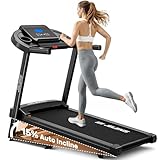
- 15% Automatic Incline: Unlike other incline treadmills on the market, the latest model of JELENS treadmill features...
- Quiet & Powerful Motor: The JELENS treadmill is equipped with a powerful 3.0HP motor, capable of supporting a...
Last update on 2026-10-19 / Affiliate links / Images from Amazon Product Advertising API
The JELENS model is the premium choice on this list. It costs about $349.99 and holds a 4.2 star rating. It works like a full folding treadmill with walking pad convenience.
This machine has the widest speed range here, from 0.6 to 7.5 MPH. You walk during work and run after hours. A one touch button sets 15 levels of auto incline.
The belt is the largest in our roundup at 15.75 by 43.31 inches. A six layer surface adds grip and cushioning. The motor stays below 40 dB, the quietest rating on our list.
You also get pulse sensors, an LCD screen and Bluetooth app support. The screen shows time, slope, speed, calories, distance and heart rate. A cup holder keeps water close by.
The unit folds using a slow hydraulic system and takes up just 3.99 square feet when stored. Note that it stands about 37.6 inches tall when open. It fits best next to a desk, not under it.
Pros
- Fastest top speed and widest belt here
- Auto incline with heart rate tracking
- Quietest motor rating at under 40 dB
- Hydraulic folding for easy storage
Cons
- Highest price in this guide
- Weighs 79.8 lbs, so it is hard to move
- Tall console blocks most under desk setups
LIVIVOX Walking Pad Portable Under Desk Treadmill

- 【Looking for a convenient way to exercise at home?】 :The LIVIVOX walking pad treadmill is the answer. this...
- 【Convenient features】: Stay on top of your fitness goals with the LED display for progress tracking and remote...
Last update on 2026-10-19 / Affiliate links / Images from Amazon Product Advertising API
The LIVIVOX walking pad is the simplest option for flat walking. It sells for about $199.99 and carries the Amazon’s Choice badge. It holds a 4.1 star rating from over 100 reviews.
This model arrives ready to use with no assembly. You plug it in, grab the remote and start walking. That makes it great for people who dislike tools and setup steps.
A 2.5HP quiet motor powers gentle walking speeds. The listing shows a top speed of about 4 MPH. That range suits typing, reading and calls very well.
The pad supports up to 265 lbs. It measures 49 by 24.9 by 6.5 inches and weighs 44 lbs. An LED display shows distance, time, speed and calories.
Keep one detail in mind. Amazon lists this item as not returnable due to shipping rules. You can only request a refund if it arrives damaged or broken.
Pros
- Zero assembly, ready right out of the box
- Simple remote and clear LED display
- Wide body gives steady footing
- Quiet motor suits video calls
Cons
- No incline settings
- Lower weight limit of 265 lbs
- Cannot be returned unless damaged or defective
- Higher price than models with more features
Quick Comparison of All Five Walking Pads
A side by side view helps you decide faster. Each model shines in a different area. Use this table to match features with your needs.
| Model | Price | Max Speed | Incline | Capacity |
|---|---|---|---|---|
| LONTEK | $134.99 | 6.2 MPH | Manual 15% | 350 lbs |
| Garvee | $179.99 | 5 MPH | Auto 15% | 350 lbs |
| UMAY | $147.98 | 6.2 MPH | Lever 15% | 330 lbs |
| JELENS | $349.99 | 7.5 MPH | Auto 15% | 330 lbs |
| LIVIVOX | $199.99 | 4 MPH | None | 265 lbs |
For tight budgets, LONTEK gives the most value. For hands free incline control, Garvee wins. For a soft belt and handrail, UMAY is a smart middle choice.
If you also want to run, JELENS justifies its price. If you only want easy flat walking with zero setup, LIVIVOX does the job.
Prices change often on Amazon. Check the product box above each review for the latest deal.
Key Features to Check Before You Buy
Every walking pad looks similar in photos. The details tell the real story. Focus on these features before you click buy.
Noise level comes first for home workers. Look for a motor rated at or below 45 dB. Brushless motors usually run quieter and last longer.
Belt size affects comfort and safety. A belt around 15 to 16 inches wide works for most people. Taller users should look for longer belts, like the 43 inch JELENS belt.
Weight capacity shows frame strength. Pick a model rated at least 50 lbs above your body weight. This gives the motor an easier job and extends its life.
Height and storage matter in small rooms. Slim models under 4.5 inches slide under furniture. Check your desk height too, since the pad raises you a few inches.
Incline options add calorie burn. Manual incline costs less, while auto incline is easier to use mid workday.
How Fast Should You Walk While Working
Speed is the most common question new users ask. The answer is simple. Walk slower than you think.
Most people type and read comfortably at 1.5 to 2.5 MPH. At this pace, your hands stay steady and your focus stays sharp. Faster speeds make typing harder and cause more errors.
Start at 1 MPH during your first week. Your body needs time to adjust to walking and working together. Increase the speed by 0.2 MPH every few days.
Match your speed to the task. Walk slower for detailed work like writing or spreadsheets. Walk faster during calls, webinars or reading emails.
Do not walk all day on day one. Begin with 30 minutes, two or three times a day. Build up slowly to avoid sore feet and tired legs.
A light incline at slow speed is a great trick. It burns more calories without making your upper body bounce.
How to Set Up Your Walking Pad Workstation
A good setup makes walking while working feel natural. Start with the right desk. A standing desk is a must for safe and comfortable use.
Adjust your desk height after you step onto the pad. Your elbows should bend at about 90 degrees. Your wrists should stay flat on the keyboard.
Raise your monitor to eye level. Looking down while walking strains your neck. A monitor arm or laptop stand helps a lot.
Place a treadmill mat under the pad. A mat cuts vibration, protects floors and lowers noise. It also stops the pad from sliding on hard floors.
Wear proper walking shoes. Bare feet or socks can cause slips and blisters. Supportive sneakers keep your joints happy.
Keep the remote in a fixed spot on your desk. Many pads, like LONTEK, include a slot for the remote. That way, you can stop the belt quickly if needed.
Health Benefits of Walking While You Work
Walking at your desk does more than add steps. It changes how your body feels during the workday. Small movements add up fast.
Light walking burns more calories than sitting. A slow pace for a few hours a day can add hundreds of calories burned per week. Adding incline raises that number further.
Walking improves blood flow. Better circulation reduces stiffness in your hips, back and legs. Many users report fewer afternoon energy crashes.
Movement also helps your mood. Walking releases chemicals that ease stress. Many people find tough calls feel calmer when they walk.
Regular walking supports heart health and blood sugar control. It also helps break up long sitting periods, which health experts link to many problems.
A walking pad will not replace all exercise. It does make your normal workday far more active. Combine it with stretching and strength work for the best results.
Tips to Keep Your Walking Pad Running Smoothly
A walking pad is a motor and belt system. Simple care keeps it quiet and working for years. These habits take only minutes.
Lubricate the belt every few months. Use 100% silicone treadmill oil. Check your manual for the exact schedule, since it varies by model.
Check the belt alignment often. A belt that drifts to one side wears out faster. Most pads include a tool to make small adjustments.
Keep the area clean. Dust and pet hair get pulled under the belt. Vacuum around the pad once a week and wipe the deck.
Do not exceed the weight limit. Heavy loads strain the motor and shorten its life. This rule matters most for models like LIVIVOX with a 265 lb limit.
Give the motor breaks. Many brands suggest resting the pad after long sessions. Unplug it when not in use to protect it from power surges.
Final Thoughts
The best walking pad depends on your space, budget and goals. Each model on this list solves a different problem. There is no single winner for everyone.
Choose LONTEK if you want the most value for the lowest price. Choose Garvee if you want automatic incline in the slimmest body. Choose UMAY if comfort and a handrail matter most.
Pick JELENS if you also want to run and track your heart rate. Pick LIVIVOX if you only want simple flat walking with no setup.
Start slow, set up your desk correctly and walk a little more each week. Your body will thank you by Friday afternoon. Your step count will thank you too.
Frequently Asked Questions
Can I type while walking on a walking pad?
Yes, most people type well at speeds between 1.5 and 2.5 MPH. Start slow and give yourself a week to adjust. Typing gets easier with practice.
Do I need a standing desk for a walking pad?
Yes, a standing desk is strongly recommended. A regular desk is too low for safe walking. An adjustable desk lets you set the right elbow height.
Are walking pads loud?
Most modern walking pads are quiet. All five models here list motors at or below 45 dB. A treadmill mat cuts noise and vibration even more.
How long should I walk each day at my desk?
Begin with 30 minutes, two or three times a day. Slowly build up to two to four hours total. Listen to your body and rest when needed.
Is a walking pad good for weight loss?
A walking pad helps you burn more calories than sitting. Adding incline boosts the burn further. Pair it with good food choices for the best results.
Can I run on a walking pad?
Most walking pads suit walking and light jogging only. JELENS reaches 7.5 MPH and handles short runs. LONTEK and UMAY reach 6.2 MPH for brisk jogs.
Which walking pad is best for a small apartment?
Garvee is the slimmest at 3.3 inches tall. It slides under most beds and sofas. LONTEK and UMAY are also low and easy to store.