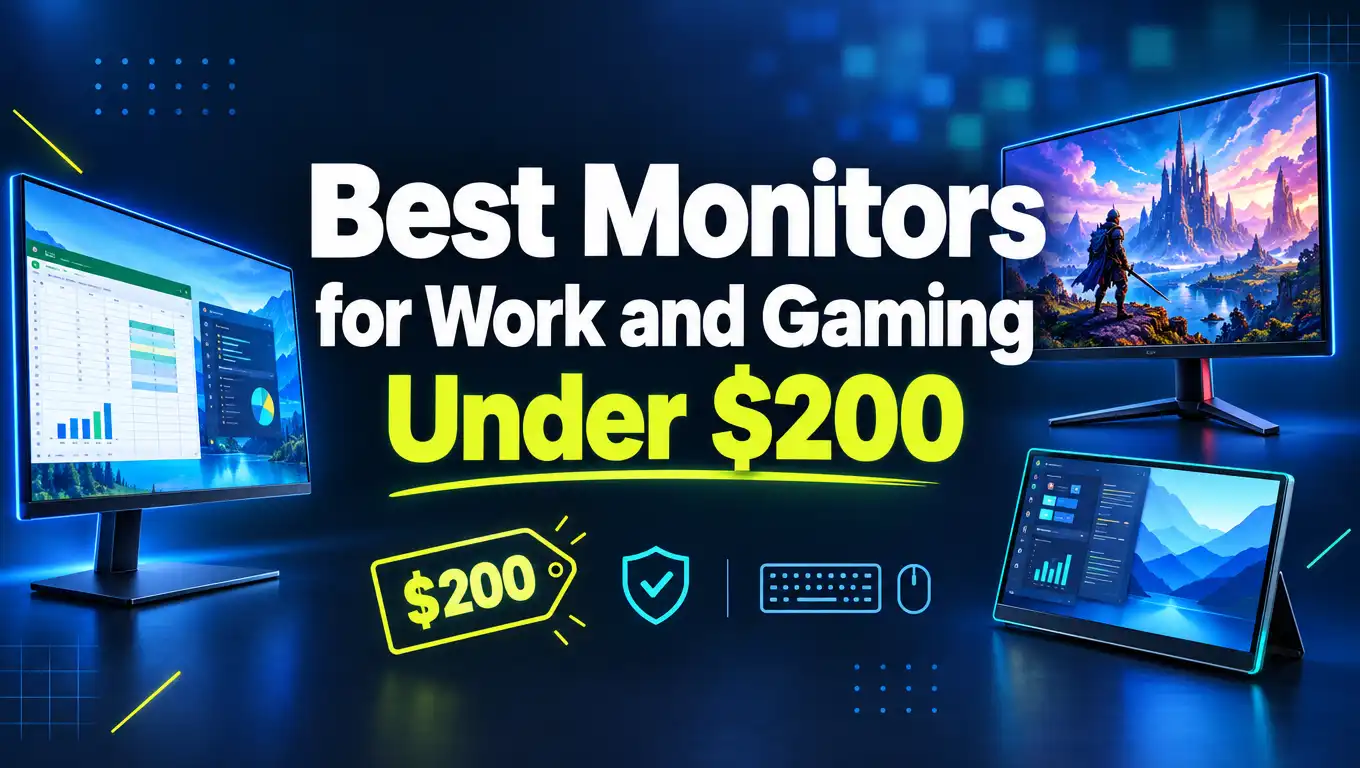
5 Best Monitors for Work and Gaming Under $200
You want one screen that handles spreadsheets by day and fast games by night. You also want to spend less than $200. That sounds hard, but it is easier than ever.
Budget monitors now come with 240Hz refresh rates, curved panels, and big 32 inch screens. Brands like Samsung, LG, KTC, Sansui, and Sceptre all compete in this price range. That competition is good news for your wallet.
In this guide, we test the specs, compare the features, and match each monitor to the right buyer. You will see clear pros and cons for every pick. By the end, you will know which screen fits your desk, your games, and your budget.
In a Nutshell
- The SANSUI 32 Inch Curved 240Hz monitor is the best overall value. It pairs a huge curved screen with esports speed, and it often sells for around $180, well below its $260 list price.
- The KTC H27F7 is the best pick for competitive gamers. Its Fast IPS panel runs at 240Hz with 1ms MPRT response time. It also has a stand that adjusts for height, tilt, and pivot.
- The Sceptre 30 Inch Ultrawide is the best choice for multitasking. Its 21:9 screen gives you extra width for side by side windows, and it reaches 200Hz over DisplayPort.
- The LG 32MR50C and Samsung S30B suit office work and casual play. They offer trusted brand quality, big screens, and lower refresh rates of 100Hz and 75Hz.
- Match the refresh rate to your graphics card. A 240Hz screen only helps if your PC can push high frame rates. Console players and office users can save money with 75Hz to 100Hz models.
- All five monitors use 1080p class resolution. That keeps prices low and makes games easy to run, but text looks softer on 32 inch screens.
Why a Monitor Under $200 Makes Sense Today
Five years ago, $200 bought you a basic 60Hz office screen. Today, the same money buys high refresh rates, curved panels, and HDR support. Prices dropped as panel makers produced more fast displays.
For most people, a budget monitor covers every daily task. You can write emails, edit documents, join video calls, and stream shows without trouble. You do not need a $600 screen to enjoy smooth gaming.
Full HD resolution also helps budget gamers. A 1080p screen needs less graphics power than 1440p or 4K. That means a midrange graphics card can hit high frame rates and actually use a 240Hz panel.
There are tradeoffs, of course. Budget screens usually have weaker HDR, simpler stands, and basic speakers or none at all. Brightness often sits around 250 to 300 nits, which works fine indoors but is not true HDR.
Still, the value is hard to beat. If you pick carefully, a sub $200 monitor can serve you well for years. The five picks below show how much you can get for your money.
1. SANSUI 32 Inch Curved 240Hz Gaming Monitor

- 32 Inch curved 1500R gaming monitor, 240Hz high refresh rate for gameplay
- Performance: 240Hz refresh rate, Full HD 1920*1080P resolution, 1ms MPRT response time, Built-in FreeSync...
Last update on 2026-11-01 / Affiliate links / Images from Amazon Product Advertising API
The SANSUI ES G32C3F is our best overall pick. It packs a 32 inch curved screen, a 240Hz refresh rate, and a 1ms MPRT response time. Few monitors give you this much screen and speed for so little money.
The 1500R curve is gentle. That makes it a good first curved monitor, since it wraps your view without feeling extreme. The panel covers 125% of the sRGB color gamut and reaches 300 nits of brightness with HDR support.
You get DisplayPort 1.4 and HDMI inputs, and Sansui includes a DP cable in the box. The metal stand feels solid, and the VESA mount lets you use a monitor arm.
For work, the large screen gives you room for two windows side by side. For gaming, the 240Hz speed keeps shooters and racing games smooth. Just remember that Sansui is a newer name in monitors than Samsung or LG.
Pros
- Huge 32 inch curved screen with an immersive 1500R curve.
- Fast 240Hz refresh rate and 1ms MPRT response for competitive play.
- Rich colors with 125% sRGB coverage and 300 nits of brightness.
- DisplayPort cable included, plus VESA mount support.
Cons
- 1080p on a 32 inch screen makes text look a bit soft up close.
- The stand offers limited adjustment compared to the KTC.
- Sansui is a less established brand, so long term support is less proven.
2. KTC 27 Inch 240Hz Fast IPS Gaming Monitor (H27F7)

- [Smooth Gaming Experience] This 27-inch Full HD 1080p gaming monitor has 240Hz refresh rate and 1ms (MPRT) response...
- [Excellent Picture Quality] HDR10 enhances image quality for a more dynamic and immersive viewing experience...

Last update on 2026-11-01 / Affiliate links / Images from Amazon Product Advertising API
The KTC H27F7 is the best pick for competitive gamers. It uses a Fast IPS panel, which offers quick pixel response and wide viewing angles. The 240Hz refresh rate and 1ms MPRT response time keep fast motion crisp.
The 27 inch size is a sweet spot for 1080p. Pixels look sharper here than on a 32 inch screen at the same resolution. Your eyes can also take in the whole screen without turning your head.
The stand is a big highlight. You can adjust height, tilt, and pivot, which is rare in this price range. Pivot mode lets you rotate the screen vertically for reading long documents or writing code.
The monitor also supports HDR, adaptive sync, HDMI, DisplayPort, and VESA mounting. At the time of writing, it sells for about $170, and it carries the Amazon’s Choice badge.
This is the monitor we would choose for a gamer who also works long hours. The flexible stand helps your posture, and the IPS colors look great in documents and photos.
Pros
- Fast IPS panel with wide viewing angles and accurate colors.
- 240Hz refresh rate with 1ms MPRT for smooth, sharp motion.
- Full ergonomic stand with height, tilt, and pivot adjustment.
- Sharper image than 32 inch 1080p screens thanks to the 27 inch size.
Cons
- IPS panels show some glow in dark rooms.
- Contrast is lower than VA panels, so blacks look grayer.
- The flat 27 inch screen feels less immersive than the curved picks.
3. Sceptre 30 Inch Curved Ultrawide 200Hz Monitor

- 30" Curved Gaming Monitor 2560 x 1080 Full HD Resolution. Response Time- 5ms GTG.Aspect Ratio: 21:9. Viewing Angle...
- DP Up to 200Hz Refresh Rate / HDMI 2. 0 Up to 120Hz Refresh Rate: More than double the standard refresh rate, 200Hz...
Last update on 2026-11-01 / Affiliate links / Images from Amazon Product Advertising API
The Sceptre C305B 200UN1T is the best monitor for multitasking. Its 21:9 ultrawide screen measures 30 inches and runs at 2560 x 1080 resolution. That extra width feels like having one and a half monitors.
The VA panel has an 1800R curve and a 3,000:1 contrast ratio. Sceptre lists 90% sRGB coverage, 270 nits of brightness, and HDR support.
Speed depends on your cable. DisplayPort reaches 200Hz, while HDMI tops out at 165Hz. You get two DisplayPorts, two HDMI 2.0 ports, a headphone jack, and two built in 3W speakers.
For work, you can place a browser and a spreadsheet side by side with room to spare. For gaming, the wide view pulls you into racing games, RPGs, and strategy titles. FPS and RTS presets help you tune the picture quickly.
Note that the price moves around often. Watch for deals, since it frequently dips under $200.
Pros
- Wide 21:9 screen gives you extra room for windows and timelines.
- Up to 200Hz refresh rate over DisplayPort.
- High 3,000:1 contrast for deep blacks.
- Built in speakers and four video inputs.
Cons
- The 5ms GTG response time can show some dark smearing in fast games.
- Not every game supports 21:9, so you may see black bars.
- The stand only tilts, with no height adjustment.
4. LG 32MR50C 32 Inch Curved 100Hz Monitor

- Vivid Color with VA and FHD Resolution - At 1920x1080 resolution, LG's curved Full HD monitor features vibrant...
- 100Hz Refresh Rate - The quick 100Hz refresh rate assures streaming and even casual game play displays smoothly...
Last update on 2026-11-01 / Affiliate links / Images from Amazon Product Advertising API
The LG 32MR50C is a great pick for office work and casual gaming. It offers a 32 inch curved VA panel with Full HD resolution and a 100Hz refresh rate. LG says the 100Hz speed reduces stutter and motion blur in streaming and casual games.
The VA panel gives you strong contrast. Movies and dark game scenes look deeper than on most IPS screens. The curve also makes a 32 inch screen easier to view from edge to edge.
LG adds useful extras. AMD FreeSync removes screen tearing, and Black Stabilizer brightens dark areas so you can spot enemies in shadows. The OnScreen Control app lets you split the screen and adjust settings with your mouse.
Customer reviews praise the clear picture, good colors, and immersive curve.
This monitor fits people who care more about brand trust than raw speed. It also suits console gamers, since most console games run at 60fps.
Pros
- Trusted LG brand with solid build quality.
- Big 32 inch curved VA screen with deep contrast.
- 100Hz refresh rate plus AMD FreeSync for smooth motion.
- Handy OnScreen Control software for screen splitting.
Cons
- 100Hz is too slow for serious competitive gamers.
- Text looks soft at 1080p on a 32 inch panel.
- Basic stand with tilt only.
5. Samsung 32 Inch S30B Flat Monitor

- ALL-EXPANSIVE VIEW: The three-sided borderless display brings a clean and modern aesthetic to any working...
- SYNCHRONIZED ACTION: AMD FreeSync keeps your monitor and graphics card refresh rate in sync to reduce image...
Last update on 2026-11-01 / Affiliate links / Images from Amazon Product Advertising API
The Samsung S30B (LS32B304NWNXGO) is the best pick for a home office. It is a 32 inch flat monitor with a 75Hz refresh rate, AMD FreeSync, and a borderless design on three sides.
The flat screen keeps straight lines straight. That makes it ideal for spreadsheets, design layouts, and dual monitor setups. Thin bezels also look clean when you place two screens side by side.
Samsung includes Advanced Eye Care features and a Game Mode. Eye care settings reduce flicker and blue light during long workdays. Game Mode adjusts contrast and color for better visibility in games. You get both HDMI and DisplayPort inputs.
This monitor is very popular. Amazon shows more than 5,000 purchases in the past month, and it holds the Amazon’s Choice badge. At the time of writing, it costs about $177.
Choose this screen if you mostly work and game lightly. It is simple, reliable, and easy on the eyes.
Pros
- Trusted Samsung brand with a very large user base.
- Clean borderless design that works well in dual setups.
- Eye care features for long work sessions.
- Both HDMI and DisplayPort inputs.
Cons
- 75Hz is the slowest refresh rate on this list.
- No height adjustment on the stand.
- The flat 32 inch screen at 1080p shows visible pixels up close.
Quick Comparison of All Five Monitors
A side by side view helps you spot the differences fast. The table below shows the key specs for each pick.
| Monitor | Size | Panel | Refresh Rate | Best For |
|---|---|---|---|---|
| SANSUI ES G32C3F | 32″ curved | VA | 240Hz | Best overall value |
| KTC H27F7 | 27″ flat | Fast IPS | 240Hz | Competitive gaming |
| Sceptre C305B | 30″ ultrawide | VA | 200Hz | Multitasking |
| LG 32MR50C | 32″ curved | VA | 100Hz | Casual play and office |
| Samsung S30B | 32″ flat | Flat panel | 75Hz | Home office |
Speed lovers should look at the top three rows. The SANSUI and KTC both hit 240Hz, while the Sceptre reaches 200Hz with extra width.
Office workers should focus on the LG and Samsung. Both come from big brands and offer calm, comfortable viewing. They also work perfectly with game consoles.
Screen size matters too. The KTC is the only 27 inch model, so it gives the sharpest image at 1080p. The 32 inch models trade sharpness for a larger, more immersive view.
Refresh Rate: How Much Do You Really Need?
Refresh rate tells you how many times the screen updates each second. A 60Hz screen updates 60 times. A 240Hz screen updates 240 times. Higher numbers mean smoother motion.
For office work, 75Hz to 100Hz feels pleasant. Scrolling looks smoother, and the mouse cursor feels more responsive than at 60Hz. The Samsung and LG cover this need well.
For competitive games like Valorant, CS2, or Fortnite, 240Hz gives a real advantage. You see enemy movement sooner and aim with more control. The SANSUI and KTC are built for this.
Your hardware must keep up, though. A 240Hz monitor only shines if your graphics card produces around 240 frames per second. A midrange GPU can often reach this at 1080p in esports titles.
Console gamers have different limits. The PS5 and Xbox Series X support up to 120Hz, and many games run at 60fps. A 100Hz to 120Hz monitor matches consoles nicely. Adaptive sync tech like FreeSync also helps by removing tearing when frame rates drop.
IPS vs VA Panels Explained
The panel type shapes how your monitor looks. Our list includes both IPS and VA panels. Each has clear strengths.
IPS panels offer accurate colors and wide viewing angles. Colors stay consistent even when you sit off to the side. The KTC H27F7 uses a Fast IPS panel, which also gives quick pixel response. This makes IPS great for photo editing and fast gaming.
VA panels offer much higher contrast. A typical VA screen reaches around 3,000:1, while IPS sits near 1,000:1. Blacks look deeper, so movies and dark games feel richer. The Sceptre lists a 3,000:1 contrast ratio.
VA panels have one weakness. Dark pixels change slowly, which can cause smearing in fast scenes. Overdrive settings help reduce this effect.
So which should you pick? Choose IPS for color accuracy and speed. Choose VA for contrast and movie nights. Both work fine for office tasks.
Curved or Flat: Which Screen Fits You?
Curved screens bend gently around your field of view. The number tells you how strong the curve is. A lower number means a deeper curve, so 1500R curves more than 1800R.
Curves help most on large screens. On a 32 inch or ultrawide monitor, the edges sit closer to your eyes. That reduces head movement and makes games feel more immersive. The SANSUI, Sceptre, and LG all use this design.
Flat screens have their own benefits. Straight lines stay straight, which matters for design work, CAD, and spreadsheets. Flat monitors also line up better in dual or triple screen setups. The Samsung S30B and KTC H27F7 are flat.
Screen size and resolution also matter here. At 32 inches, 1080p gives fewer pixels per inch, so text looks softer. At 27 inches, the same resolution looks noticeably sharper.
Think about your desk depth too. A 32 inch screen works best when you sit about 30 inches away. A 27 inch screen suits smaller desks better.
Eye Comfort, Ports, and Setup Tips
Long workdays put strain on your eyes. Look for flicker free backlights and low blue light modes. The Samsung S30B includes Advanced Eye Care, and the Sceptre offers Blue Light Shift and anti flicker.
Your stand also affects comfort. The top of the screen should sit at or slightly below eye level. Only the KTC offers height adjustment on this list. For the others, a VESA monitor arm is a smart upgrade.
Check your ports before you buy. Use DisplayPort to unlock the highest refresh rates on gaming monitors. For example, the Sceptre hits 200Hz over DisplayPort but only 165Hz over HDMI.
After setup, open your display settings. Windows sometimes defaults to 60Hz, so you must select the highest refresh rate manually. Then turn on FreeSync or G Sync Compatible mode in your graphics driver.
Finally, follow the 20 20 20 rule. Every 20 minutes, look at something 20 feet away for 20 seconds. Your eyes will thank you.
Which Monitor Should You Buy?
The right choice depends on how you split your time between work and play.
Pick the SANSUI 32 Inch Curved 240Hz if you want the most screen and speed for your money. It suits gamers who also want a big, comfortable work display.
Pick the KTC H27F7 if competitive gaming comes first. The Fast IPS panel, 240Hz speed, and full ergonomic stand make it the most balanced performer. It is also the sharpest screen on this list.
Pick the Sceptre 30 Inch Ultrawide if you juggle many windows. Video editors, traders, and strategy gamers will love the extra width.
Pick the LG 32MR50C if you want a trusted brand for office work, movies, and console gaming. The curved VA panel looks great with dark content.
Pick the Samsung S30B if you mainly work from home. Its flat, borderless design and eye care features make long days easier.
Every pick costs under $200 on most days. Watch for sales, since prices change often.
Frequently Asked Questions
Is a $200 monitor good enough for gaming?
Yes. Many monitors under $200 now offer 240Hz refresh rates and 1ms response times. The SANSUI and KTC models on this list handle competitive games very well at 1080p.
Is 1080p okay on a 32 inch monitor?
It works, but text looks softer up close. Sitting about 30 inches away helps. If sharp text matters most, a 27 inch 1080p screen like the KTC looks crisper.
Do I need 240Hz for office work?
No. A 75Hz to 100Hz screen feels smooth for documents, browsing, and video calls. 240Hz mainly helps in fast games.
Can I use these monitors with a PS5 or Xbox?
Yes. All five connect over HDMI. Consoles max out at 120Hz, so even the 100Hz LG feels smooth for most console games.
Is a curved monitor better for work?
It depends on your tasks. Curves help with large screens and immersion. Flat screens work better for design work and multi monitor setups.
Should I use HDMI or DisplayPort?
Use DisplayPort on a PC for the highest refresh rates. Use HDMI for consoles and laptops without DisplayPort.
Do budget monitors support HDR?
Some do, like the SANSUI, KTC, and Sceptre. However, budget HDR is limited by brightness of around 250 to 300 nits. Treat it as a small bonus, not true HDR.